QRcode1.0.4
Publisher Description
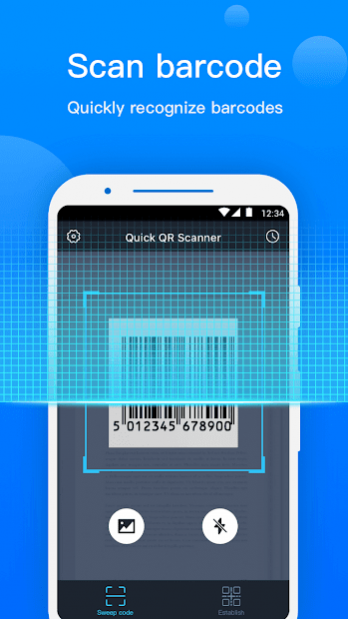
Quick QR Scanner-Reader & Generator is a fast and easy-to-use QR scanner. It can not only recognize QR codes/ barcodes quickly but also create QR codes for information of different categories. It can also recognize QR codes quickly and accurately when there is no network connection!
【Quick Scan】:
Auto focus, quickly scan and recognize all the barcodes & QR codes!
【Support Flashlight】:
Turn on the flashlight directly in the app and scan quickly even in the dark!
【History】 :
Keep all the scanned and created records. Never lose the important information!
【Simple and easy-to-use】:
After scanning, you can open the URL directly, dial the number directly, send the email directly, copy the text directly, add contacts directly into your address book, or share directly.
【Scan without network connection】
Scan accurately even when there is no network connection.
Supported Formats
AZTEC,
CODABAR,
CODE_39,
CODE_93,
CODE_128,
DATA_MATRIX,
EAN_8,
EAN_13,
ITF,
MAXICODE,
PDF_417,
QR_CODE,
RSS_14,
RSS_EXPANDED,
UPC_A,
UPC_E,
UPC_EAN_EXTENSION
About QRcode
The company that develops QRcode is YUNteam. The latest version released by its developer is 1.0.4.
To install QRcode on your Android device, just click the green Continue To App button above to start the installation process. The app is listed on our website since 2019-08-31 and was downloaded 14 times. We have already checked if the download link is safe, however for your own protection we recommend that you scan the downloaded app with your antivirus. Your antivirus may detect the QRcode as malware as malware if the download link to com.dltc.qrcode is broken.
How to install QRcode on your Android device:
- Click on the Continue To App button on our website. This will redirect you to Google Play.
- Once the QRcode is shown in the Google Play listing of your Android device, you can start its download and installation. Tap on the Install button located below the search bar and to the right of the app icon.
- A pop-up window with the permissions required by QRcode will be shown. Click on Accept to continue the process.
- QRcode will be downloaded onto your device, displaying a progress. Once the download completes, the installation will start and you'll get a notification after the installation is finished.
